If you host on Airbnb, Booking, or any other platform, you've surely run into the same scenario: guests asking for the Wi-Fi password, where the AC remote is, or how check-out works. Answering the same questions over and over consumes time you could invest in genuinely improving the guest experience. (It's no coincidence there are 5 questions you should stop answering on WhatsApp.)
Guialo solves exactly that. It's a digital guest manual that feels like an app — with icons, a cover photo, and a navigation menu — simulating an exclusive guest area, personalised for your property. In this article, we walk through the whole process: from sign-up to opening the editor, so you can see how simple it is to create yours.
Creating your free account
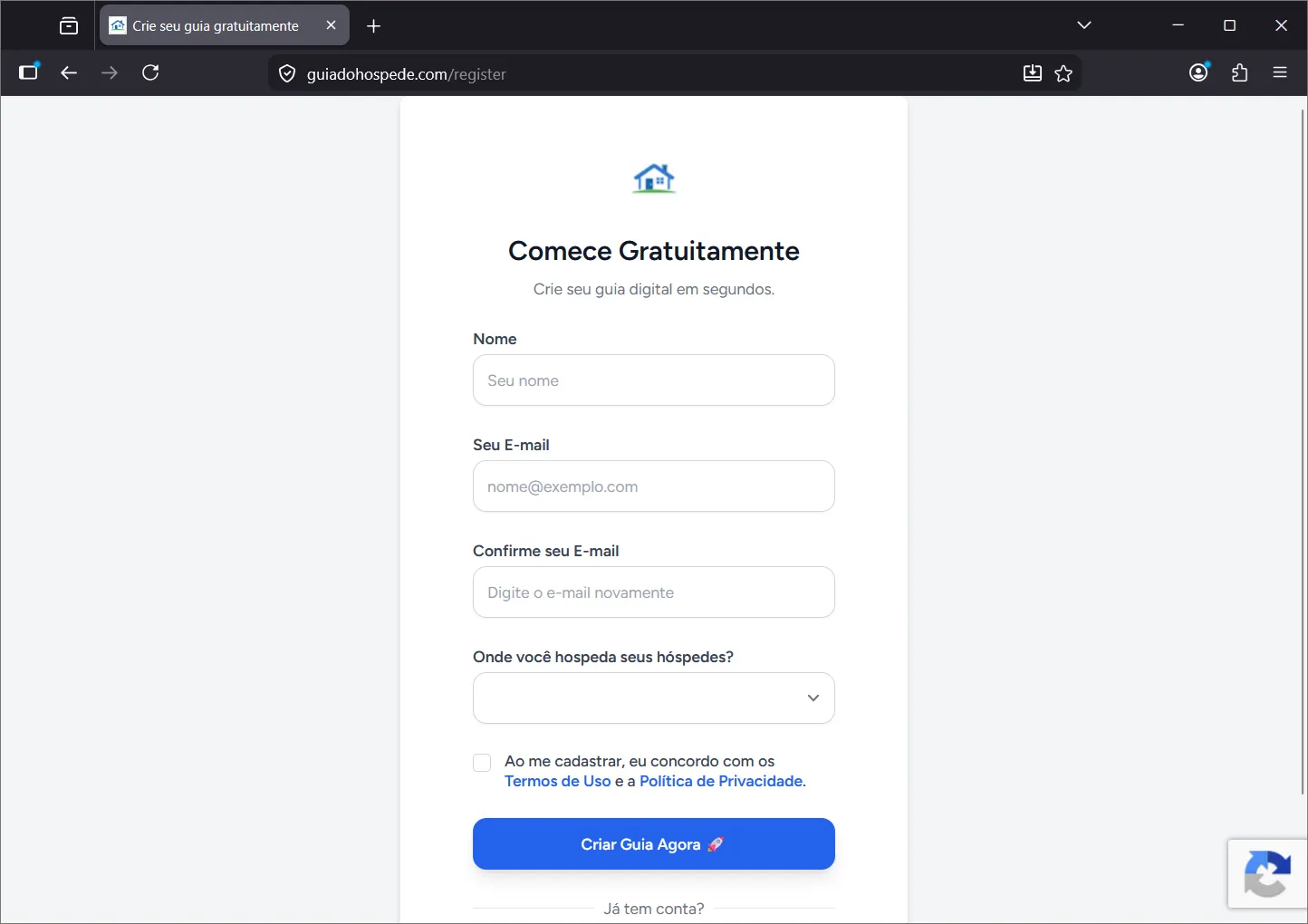
The process starts on the sign-up screen, where you enter your name and email and create a password. It's quick — under a minute — and free, no credit card required.
As soon as your registration is confirmed, you're automatically taken to a guide-creation wizard, divided into four short steps. Each step builds part of the guide, and a real-time preview shows how it will look on your guest's phone.
Step 1 — Your Property
The first step identifies the property you're creating the guide for. If you manage more than one space — a very common scenario among Airbnb and Booking hosts — you can create a separate guide for each property.
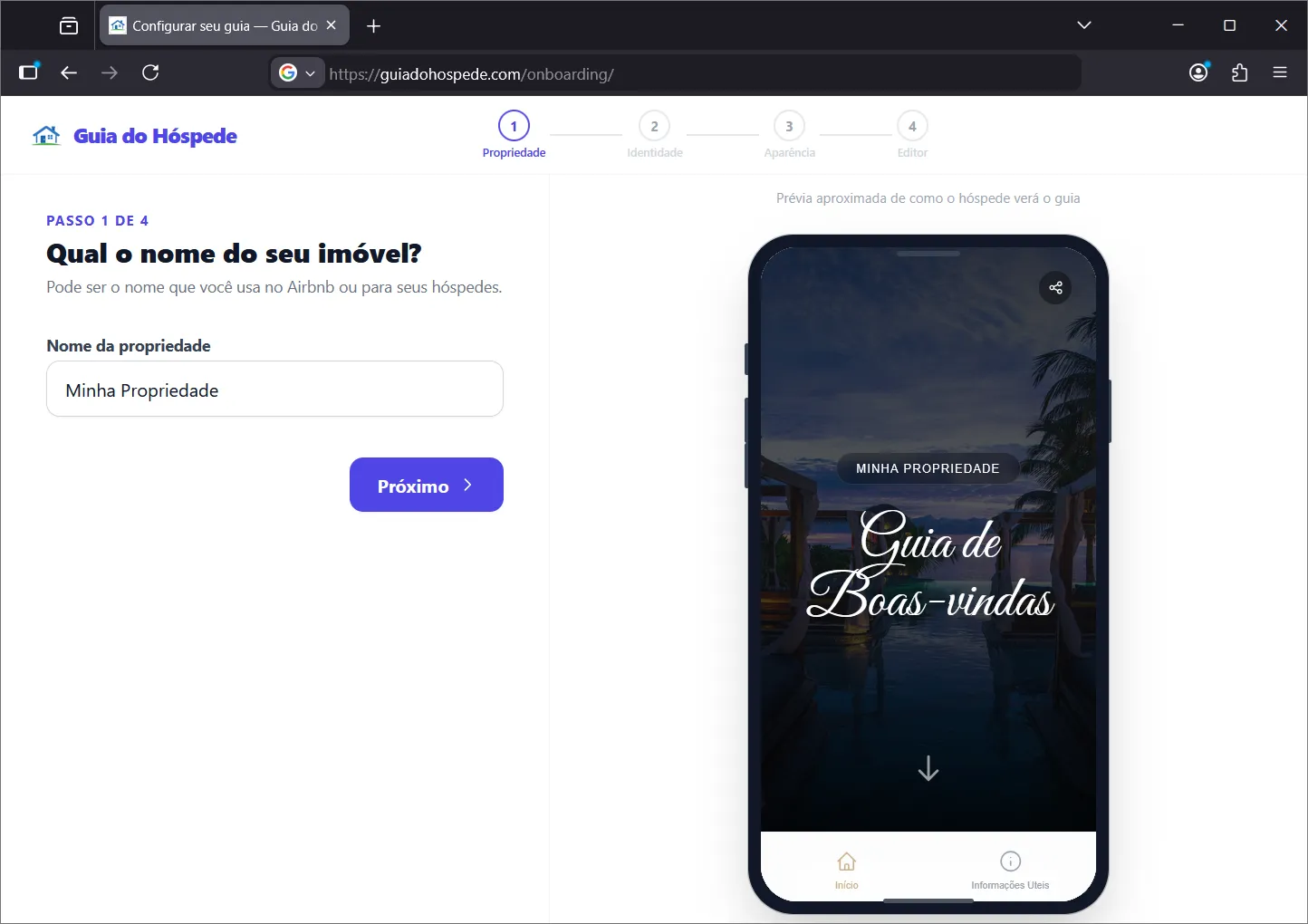
Just enter the property's name and move on. The system automatically creates a draft of the guide linked to that property.
Step 2 — Guide Identity
Here the guest manual starts gaining personality. You define three text elements guests will see:
- Title — the guide's main name, shown on the cover and in the menu (e.g., "Welcome Guide")
- Subtitle — a short phrase displayed over the cover photo, like "Everything you need for your stay"
- Welcome message — text shown on the guide's home screen, where you greet the guest and briefly introduce the space
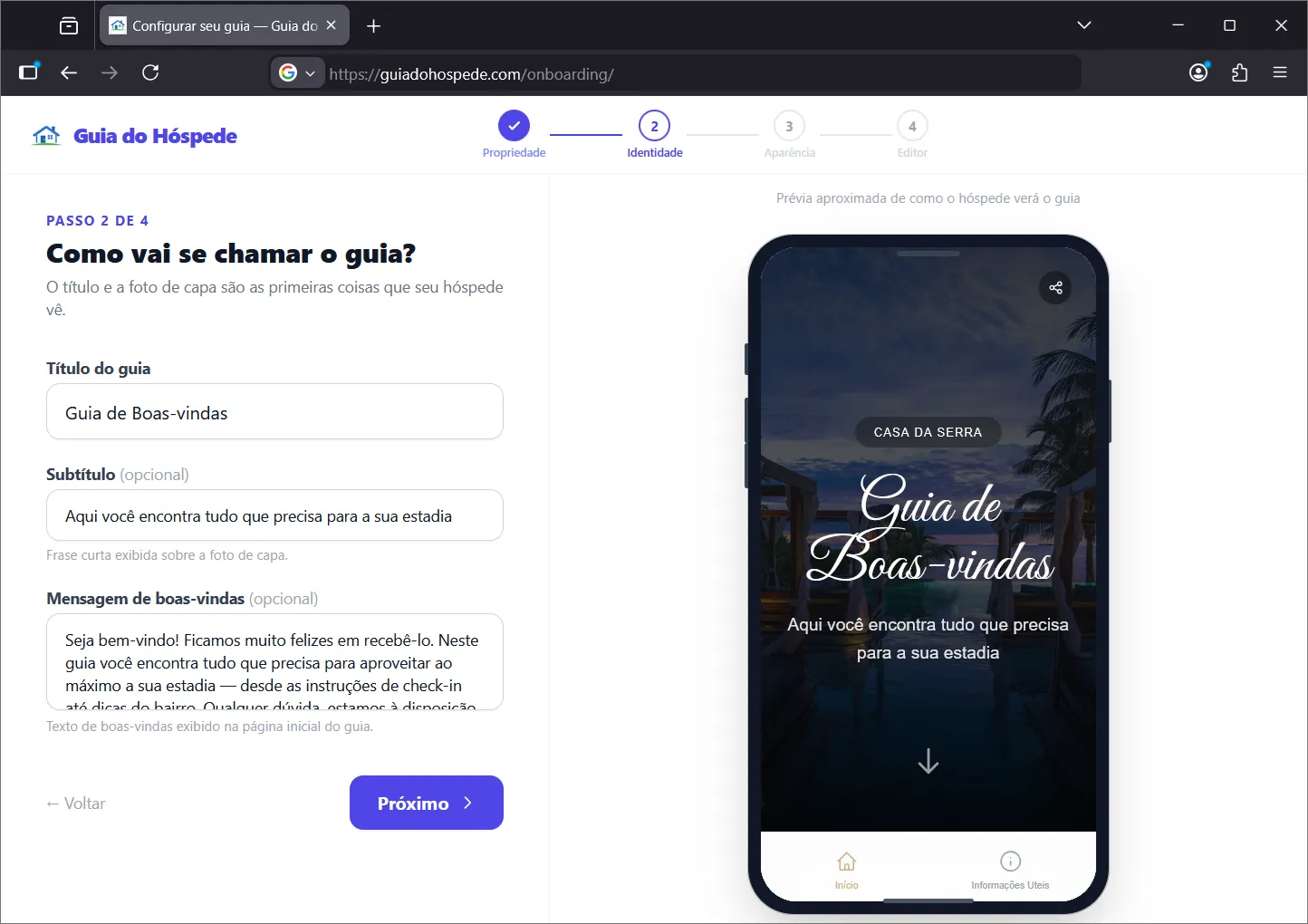
As you fill in the fields, the preview beside them already shows how the guide will look to the guest. That's one of the most delightful parts of the process: you see the result in real time, without having to publish first. Notice how modern, organised, and app-like the guide is.
Step 3 — Appearance
In this step, you define the guide's look. You can upload a cover photo — the image featured at the top of the guide when guests open it for the first time. A beautiful photo of the property or the view from the window makes all the difference in the first impression.
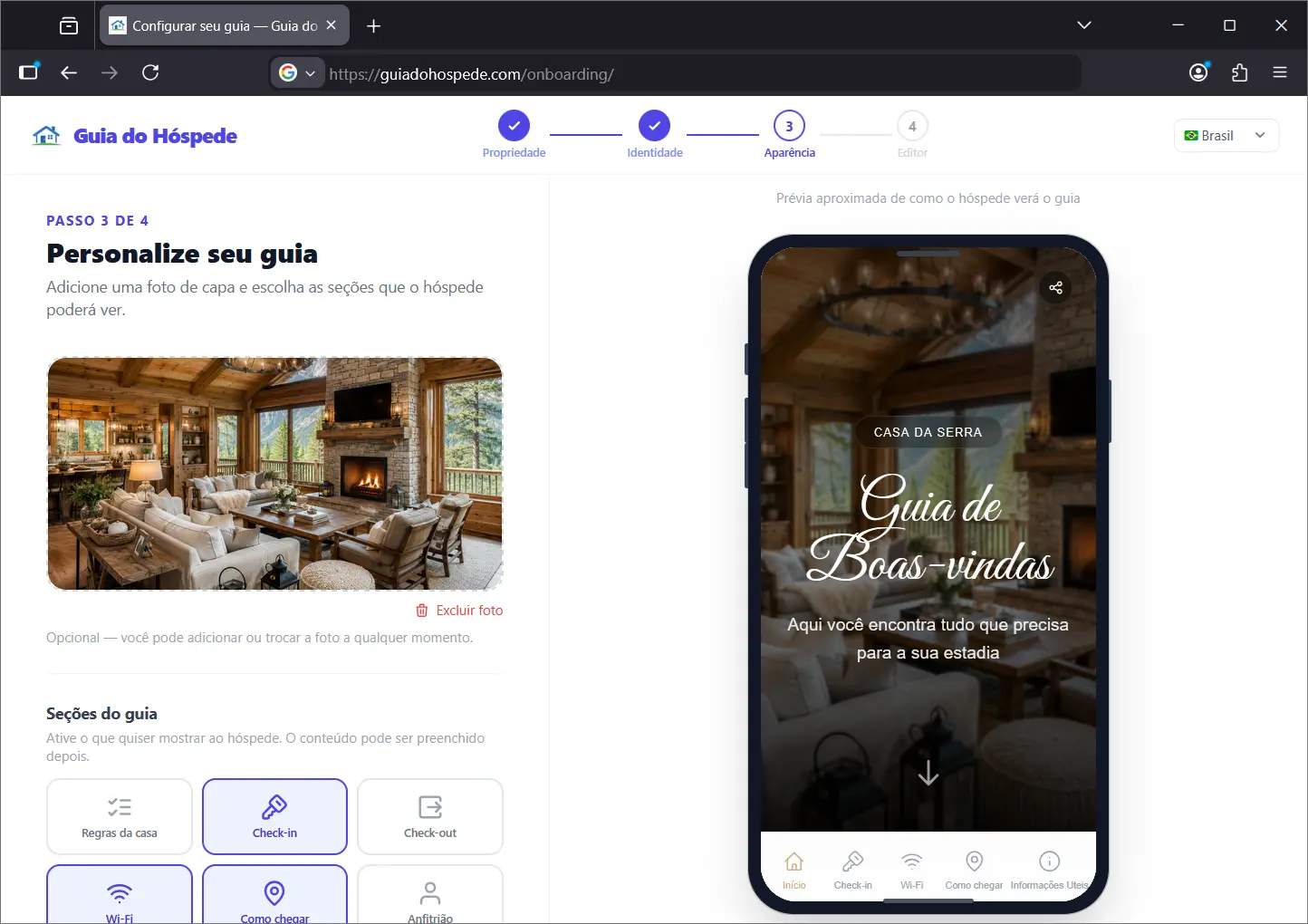
Besides the photo, you also choose which sections will appear in the guide. Each section represents a category of information — Wi-Fi, check-in, check-out, nearby restaurants, public transport, house rules, and more. Just click the icons to activate or deactivate each one. The preview reflects the changes instantly. This step, like the others, can also be adjusted later as needed.
That icon grid format is exactly what makes the guide feel like an app: the guest navigates between sections with a modern look, very different from a PDF, a WhatsApp text, or a message in the Airbnb or Booking chat.
Step 4 — Opening the Editor
With identity and appearance defined, the wizard completes the initial setup and opens the way to the full editor. That's where you fill in each section's content — check-in instructions, Wi-Fi password, restaurant tips, emergency contacts, and everything else your guest might need. One of the most useful sections is Equipment: see how to guide equipment use.
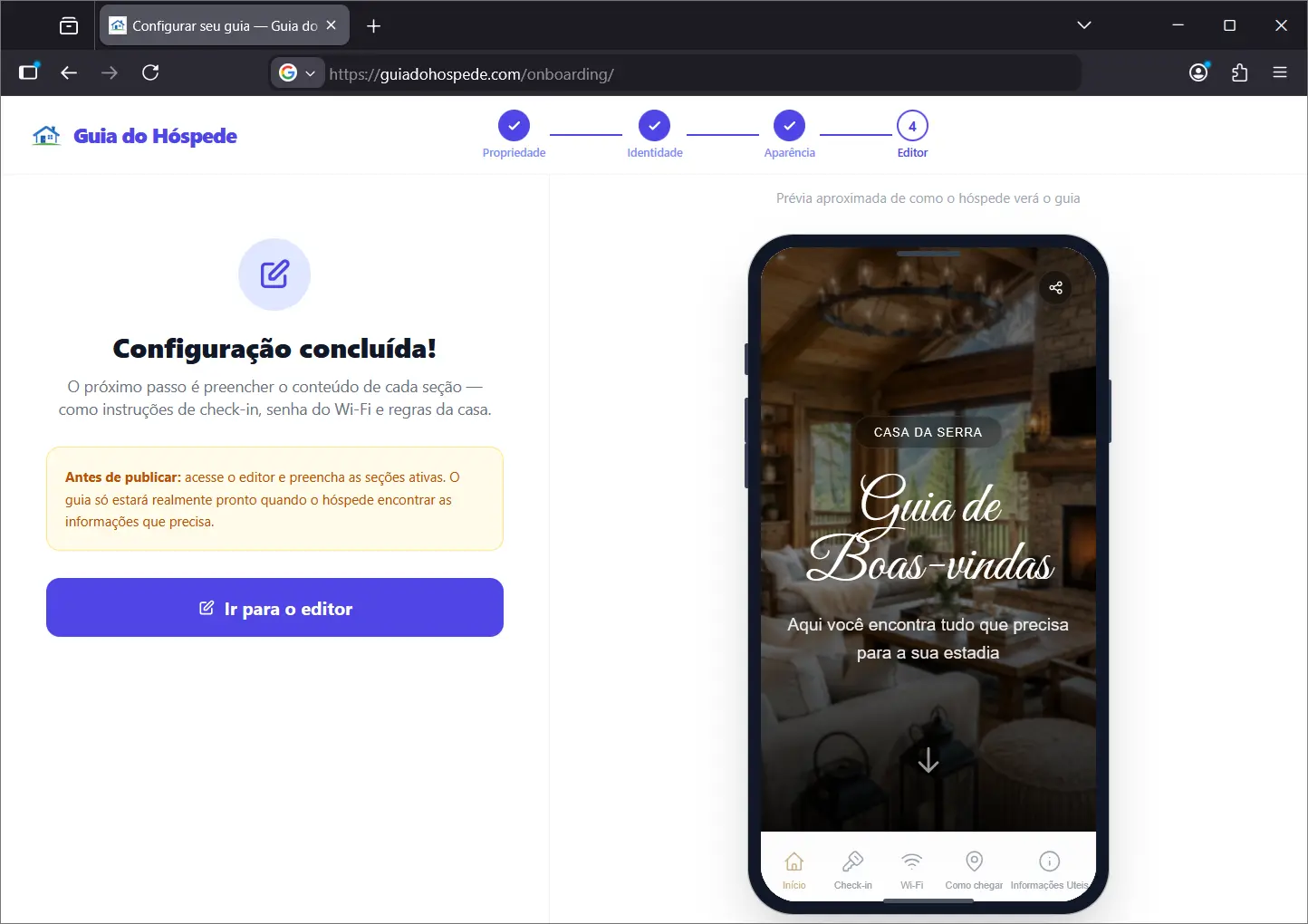
The editor was designed for hosts, not developers. You add, edit, and reorder each section's information without any technical knowledge.
The final result
With the content filled in, your guide is ready to share — as a direct link in your Airbnb or Booking message, via WhatsApp, or even through a QR code printed at the property. The guest opens it on their phone and finds an experience that simulates an exclusive guest area: smooth navigation, a professional look, and all the information they need, without having to ask you anything.
As we showed in why digitising your rental pays off, the digital guest manual is no longer exclusive to big hotel chains. With Guialo, any host — from a single rented room to a holiday flat — can offer that experience in minutes, for free.
Ready to create your guide for free? Go to the sign-up screen, follow the 4 steps, and in a few minutes you'll have a modern, intuitive digital guide to share with your guests.
Check out the demo guide from Guialo and see how this information reaches the guest in practice.
Frequently asked questions
Is Guialo free?
Yes. Signing up and creating your first guide are completely free, no credit card required. Paid plans are available for hosts who need advanced features and more than one guide.
Does the guest need to download any software or app?
No. The guide works right in the phone's browser — the guest just opens the link or scans the QR code you leave at the property. Nothing to install, no account to create. The experience is smooth and instant, like a native app.
Can I create guides for more than one property?
Yes. Just become a Premium host, for the equivalent of a cup of coffee per month. Each registered property can have its own guide, with independent cover photo, sections, and content. It's ideal for inns, hotels, and hosts managing more than one apartment or house on Airbnb and Booking.
Do I need to know how to code or have technical knowledge?
No. The creation wizard and the editor were designed for hosts, not developers. Everything works with clicks — you fill in the fields, activate the sections, and the guide is generated automatically. You see in real time how your guest manual is turning out.
Can I edit the guide after publishing?
Yes, at any time. If the Wi-Fi password changes, if you want to add a new restaurant recommendation or update the house rules, just open the editor and save. Guests always see the latest version when they open the link.
Does the guide work in my country?
Yes. Guialo supports English, Spanish, and Portuguese, with automatic translation between languages. During sign-up, you tell us where you host and the system sets the default language.